Announcing @nuxt/a11y: Real-Time Accessibility Testing in Nuxt DevTools

Tim Damen
1/8/2026
we are excited to announce the first alpha release of @nuxt/a11y - a new core Nuxt module that brings real-time accessibility testing directly into Nuxt DevTools. This has been an incredible journey, and I'm grateful to finally share it with the community.
Video demo (24 seconds): installing @nuxt/a11y and running a scan in the Nuxt DevTools accessibility panel.
In a terminal, the command npx nuxt module add a11y installs @nuxt/a11y 1.0.0-alpha.1 and adds it to the Nuxt modules. The browser then shows a demo page, "A11y Test", with the heading "Welcome to Our Accessibility Testing Playground". The Nuxt DevTools button at the bottom of the page opens the Accessibility Violations panel, powered by axe-core 4.11. It reports 7 violations affecting 18 elements on 1 page: 2 critical, 4 serious, 1 moderate and 0 minor. "Auto-scan on user events" is switched on and "Run Scan" is pressed. Under Critical issues, the panel shows the image-alt rule, "Images must have alternative text", with numbered badges for the affected elements. On the page, those elements, such as the "A11y Test" logo in the header and the large hero image, get a red dotted outline and a numbered marker.
What is @nuxt/a11y?
@nuxt/a11y is a development module that provides automated accessibility auditing integrated into Nuxt DevTools. It detects WCAG violations in real-time as you build, enabling you to catch and fix accessibility issues during development - not after launch.
Key highlights:
- Real-time scanning - Scans your page as you interact with it and navigate
- Built on axe-core - The same accessibility engine trusted by Google and Microsoft
- Visual highlighting - Issues are highlighted directly on your page
- Zero production impact - Development-time only, no bundle size increase
Getting Started
Installation is simple:
npx nuxt module add a11y
The module automatically registers in your nuxt.config.ts. Once installed, open Nuxt DevTools and navigate to the a11y panel.
Features in Detail
DevTools Dashboard
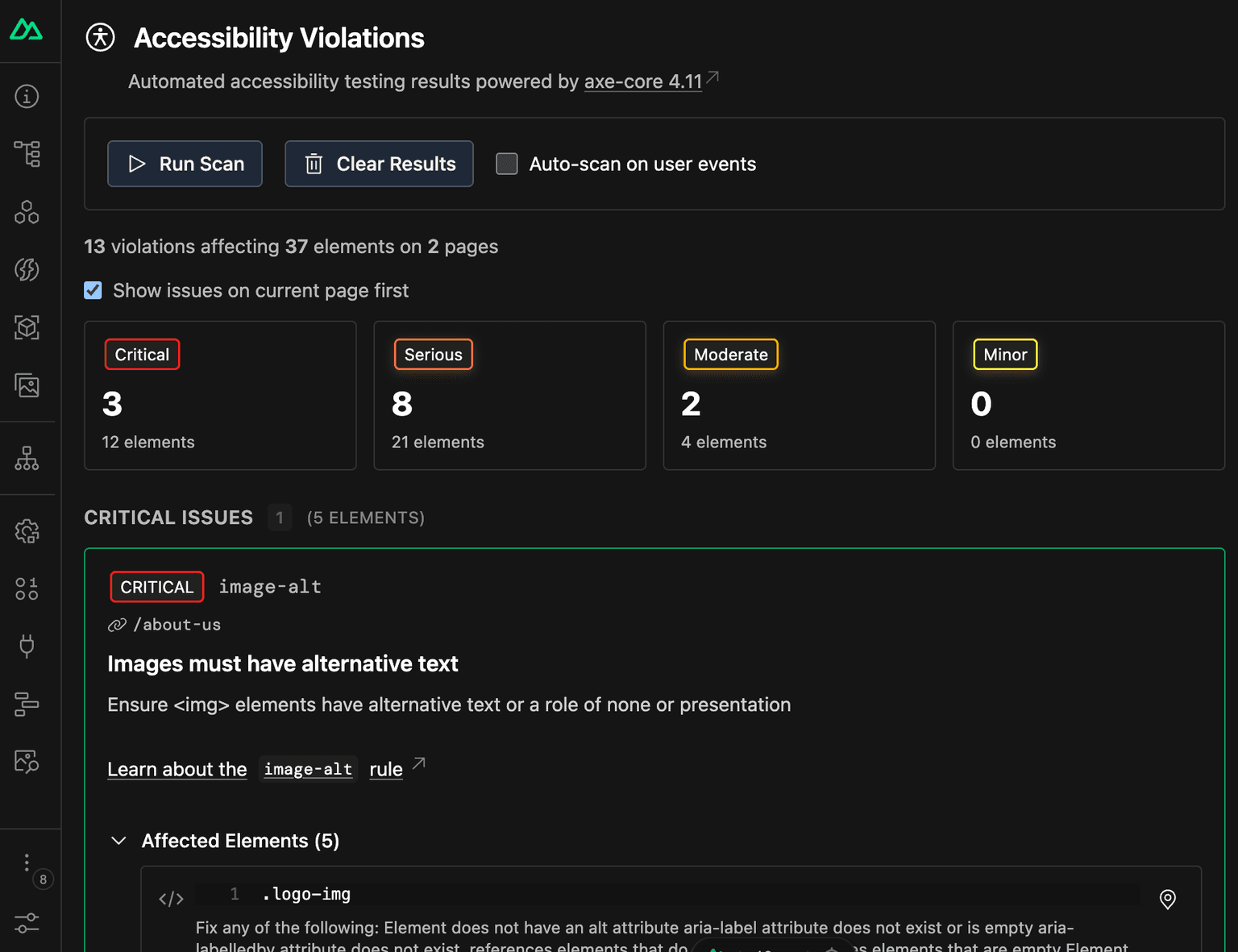
The DevTools integration provides a comprehensive overview of accessibility issues across your application. You'll see total violation counts organized by impact level - critical, serious, moderate, or minor - helping you prioritize what to fix first.
Visual Element Highlighting
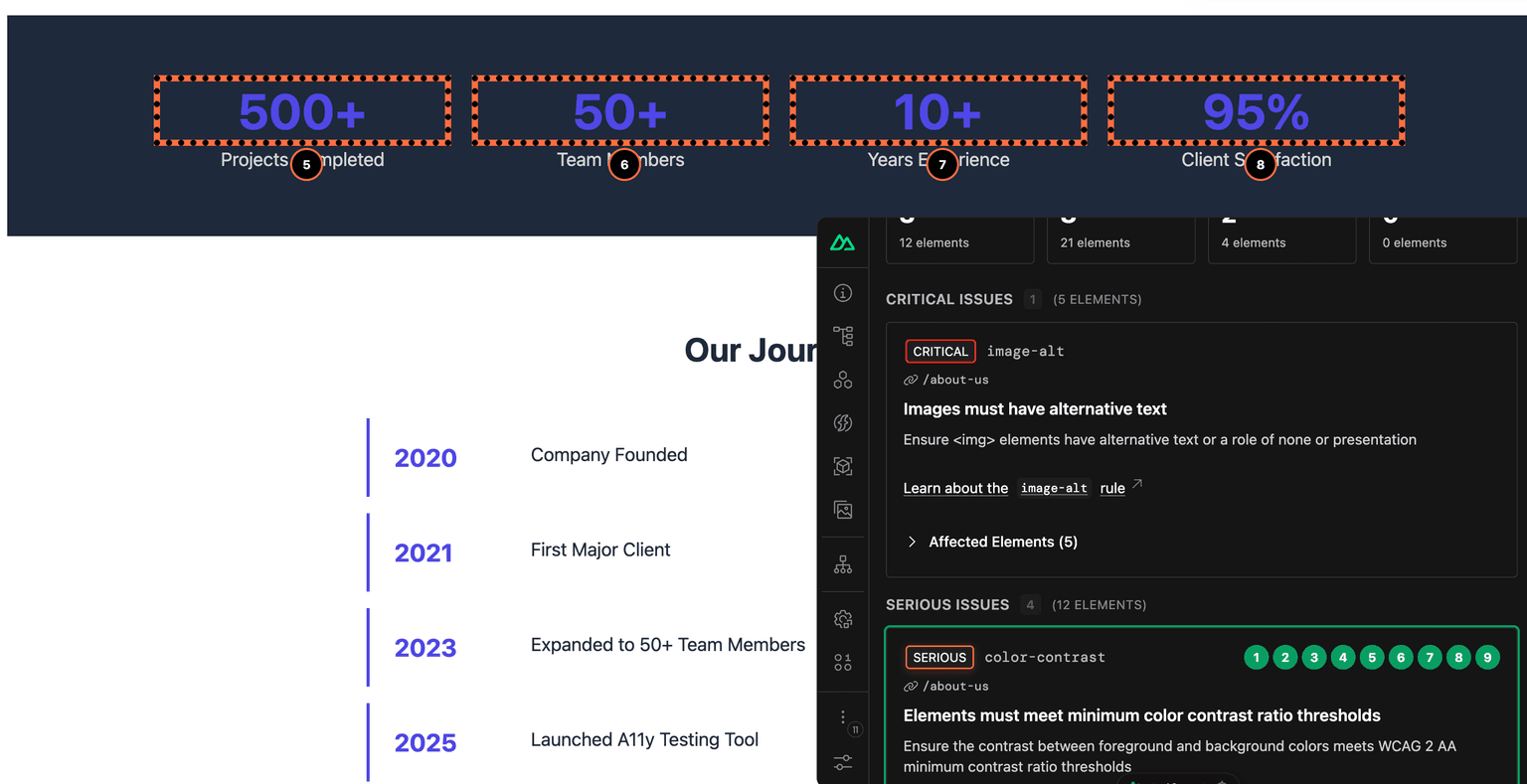
Click on any violation to highlight the affected elements directly on your page. Numbered badges are pinned to elements, making it easy to locate and understand each issue in context.
Detailed Violation Information
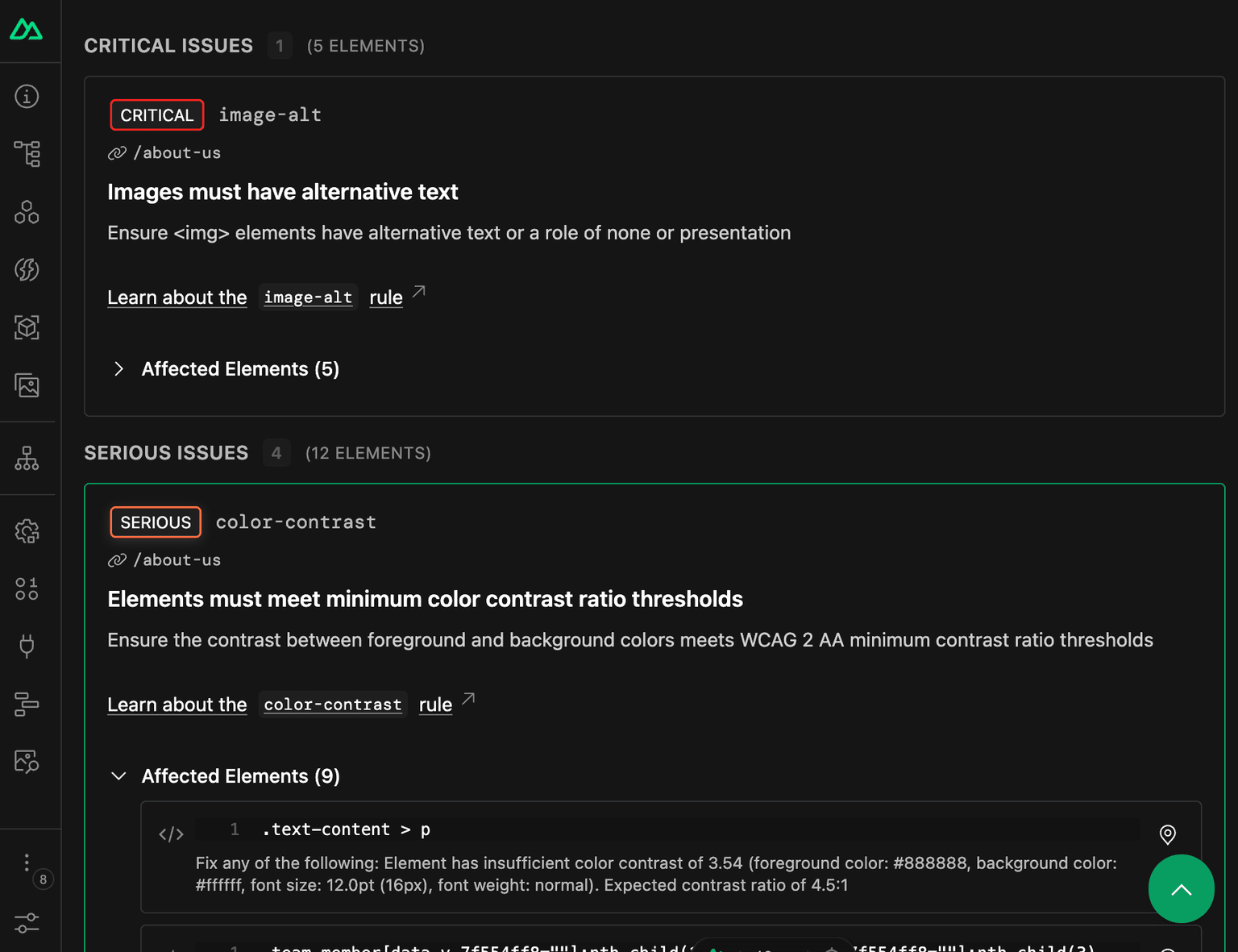
Each violation card shows the impact level, rule ID, a link to WCAG documentation, the number of affected elements, and CSS selectors to help you locate the problematic code.
Auto-Scan Mode
Enable auto-scan to continuously monitor your page as the DOM changes. This catches new violations introduced by user interactions or dynamic content updates.
Route Tracking
The module automatically tracks violations per route as you navigate through your application, giving you a clear picture of accessibility across your entire site.
Configuration
Customize the module behavior in your nuxt.config.ts:
export default defineNuxtConfig({
  a11y: {
    // Enable/disable the module (default: true in dev)
    enabled: true,

    // Automatically highlight all violations when detected
    defaultHighlight: false,

    // Log issues to browser console
    logIssues: true,

    // Configure axe-core
    axe: {
      options: {}, // axe-core configuration
      runOptions: {}, // axe-core runtime options
    },
  },
});
For advanced axe-core configuration, refer to the axe-core API documentation.
Why This Matters
At Focusring, our mission is to make accessibility easier for developers by catching issues earlier in the development process. This module embodies that mission - automated accessibility testing that runs where developers already work, with zero friction.
Catching accessibility issues during development is dramatically more cost-effective than fixing them post-launch. With @nuxt/a11y, every Nuxt developer can now integrate accessibility testing into their daily workflow without any additional tooling or configuration.
Thank You
A huge thank you to Daniel Roe and the entire Nuxt team for the opportunity to contribute this module to the Nuxt ecosystem. Their guidance, code reviews, and support throughout development have been invaluable. It's been an honor to work with such a talented and welcoming team.
Get Involved
This is an alpha release, and we'd love your feedback! Here's how you can help:
- Try it out - Install the module and test it on your projects
- Report issues - Found a bug? Open an issue
- Share ideas - Have feature suggestions? We want to hear them
- Contribute - PRs are welcome!
Check out the repository and give it a star if you find it useful:
Let's make the web more accessible, one Nuxt app at a time.
For more information about making your digital services accessible to all users, contact focusring.io at hello@focusring.io